Clients
Keep your client contact details and information easy to find.
Clients • Quotes • Invoices
Your own installation. No software subscription.
For self-employed professionals and small service businesses.
Fictitious data only during the trial.
A walkthrough of the main features with explanatory text in English. Video with narration. Online payments apply only to the server edition.
For tradespeople, service providers and small businesses looking for a practical tool to bring their daily management together.
Keep your client contact details and information easy to find.
Create professional quotes, generate PDFs and send them directly with ClientPro Simple or your usual email program.
Turn quotes into invoices and track recorded payments. Adapt the currency and taxes to your business needs.
Find your items and prices to prepare documents more easily.
Organize your activities and client appointments.
Send documents using your own email account, configured with authenticated SMTP.
After you send an invoice, ClientPro Simple identifies reminders due according to the intervals set in settings. Send the reminder emails from the dashboard after confirmation. Tracking takes the remaining balance and previously sent reminders into account.
In the server edition, choose in settings whether online payments must cover the full remaining balance or whether multiple partial payments are allowed. The remaining balance updates with each recorded payment.
Create accounts with the Administrator or User role. Only administrators can manage user accounts, and each person has their own access to the application.
Personalise your business identity with a logo for the application and a logo for PDF documents, including quotes and invoices.
After each recorded payment, the client automatically receives an email with the updated PDF invoice. A partial payment shows the remaining balance; once the invoice is paid in full, the final invoice is marked PAID. The email and PDF use the client’s preferred language. Delivery requires a client email address and a working SMTP configuration.
ClientPro Simple screenshots with demonstration data. Click an image to enlarge it. Screenshots show the English interface.
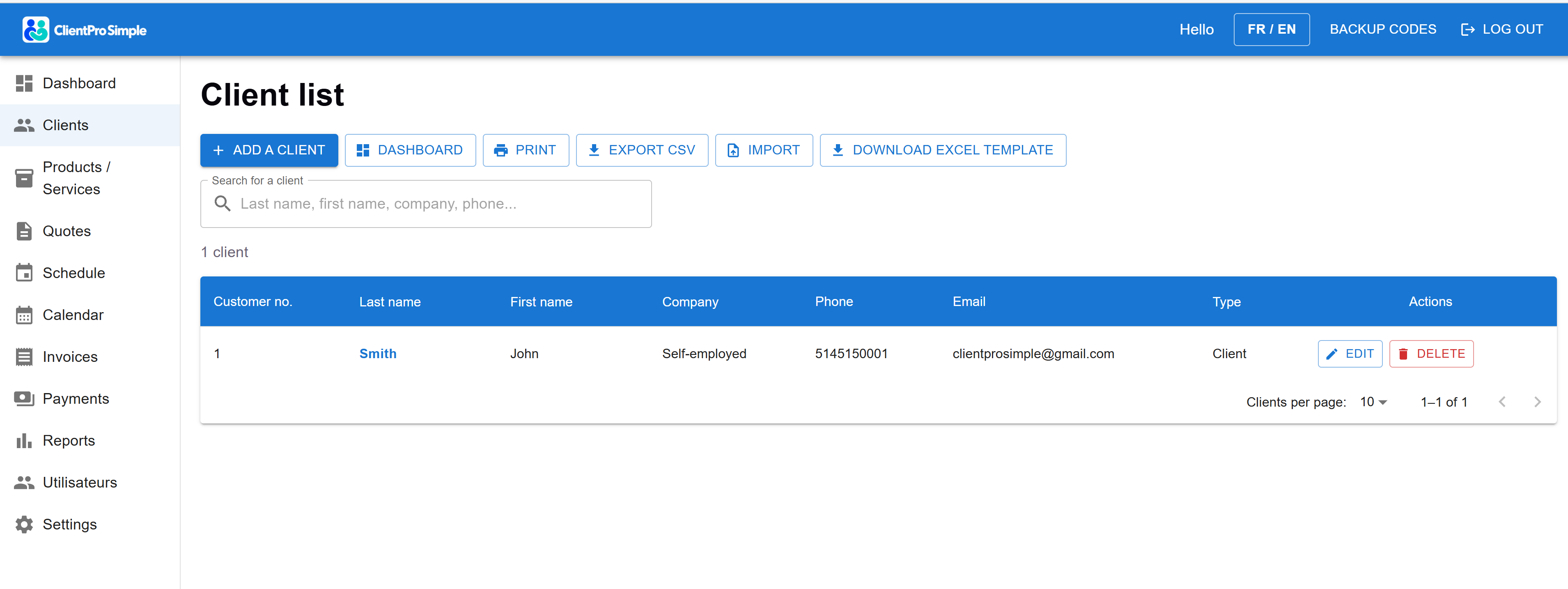
Find contact details and import your lists using the Excel template.
Enlarge screenshot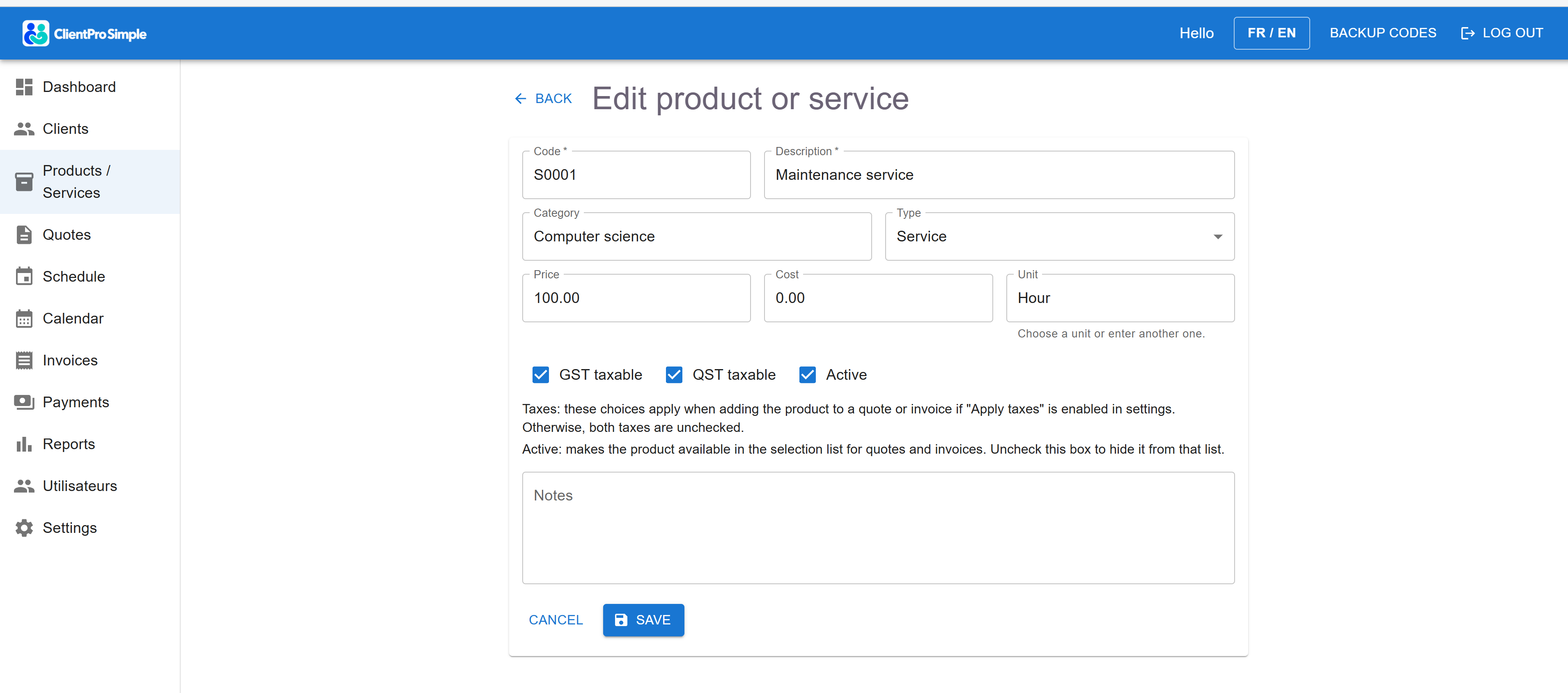
Reuse your prices and product GST and QST defaults.
Enlarge screenshot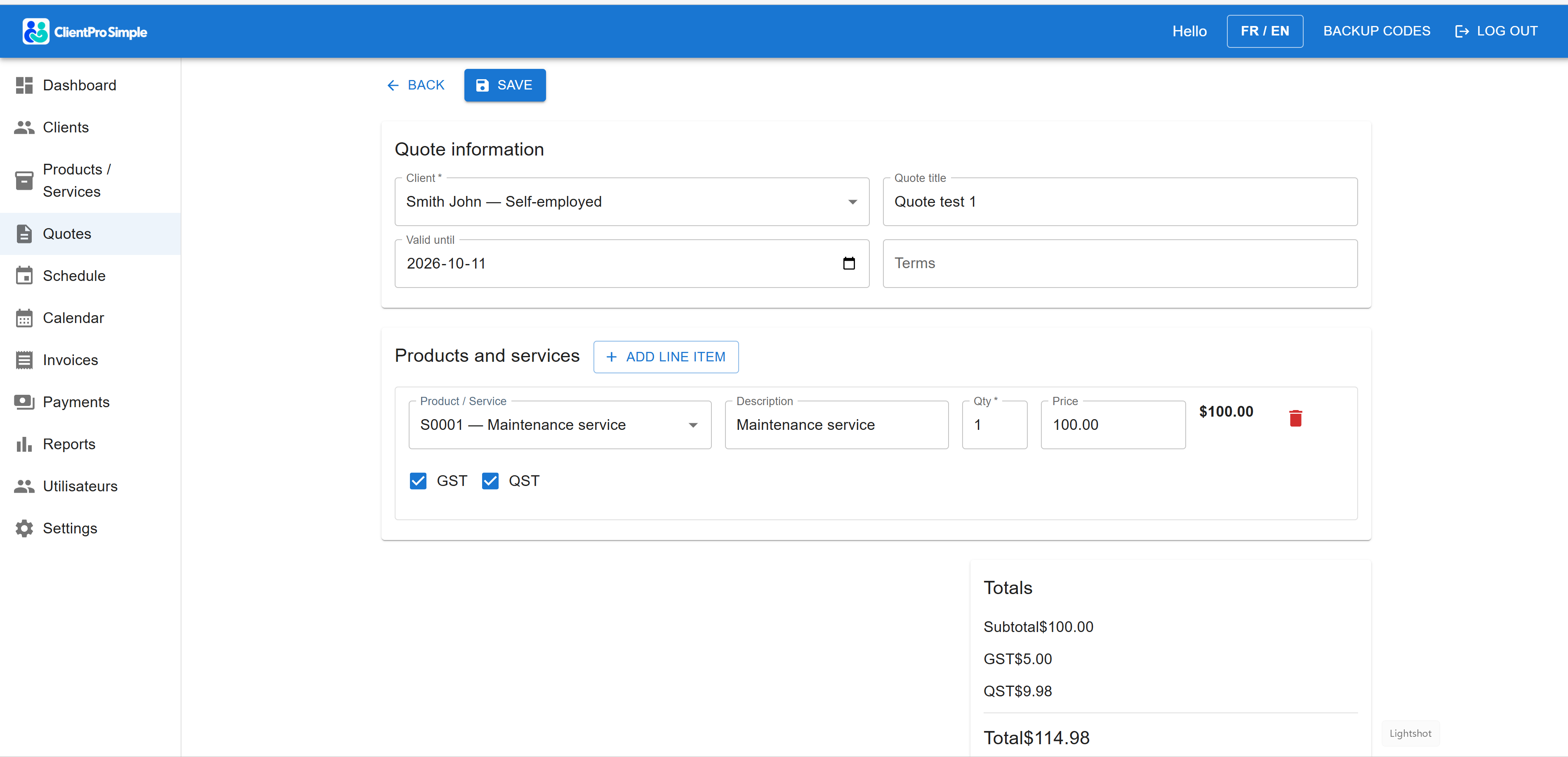
Choose items and adjust quantities, prices and taxes on each line.
Enlarge screenshot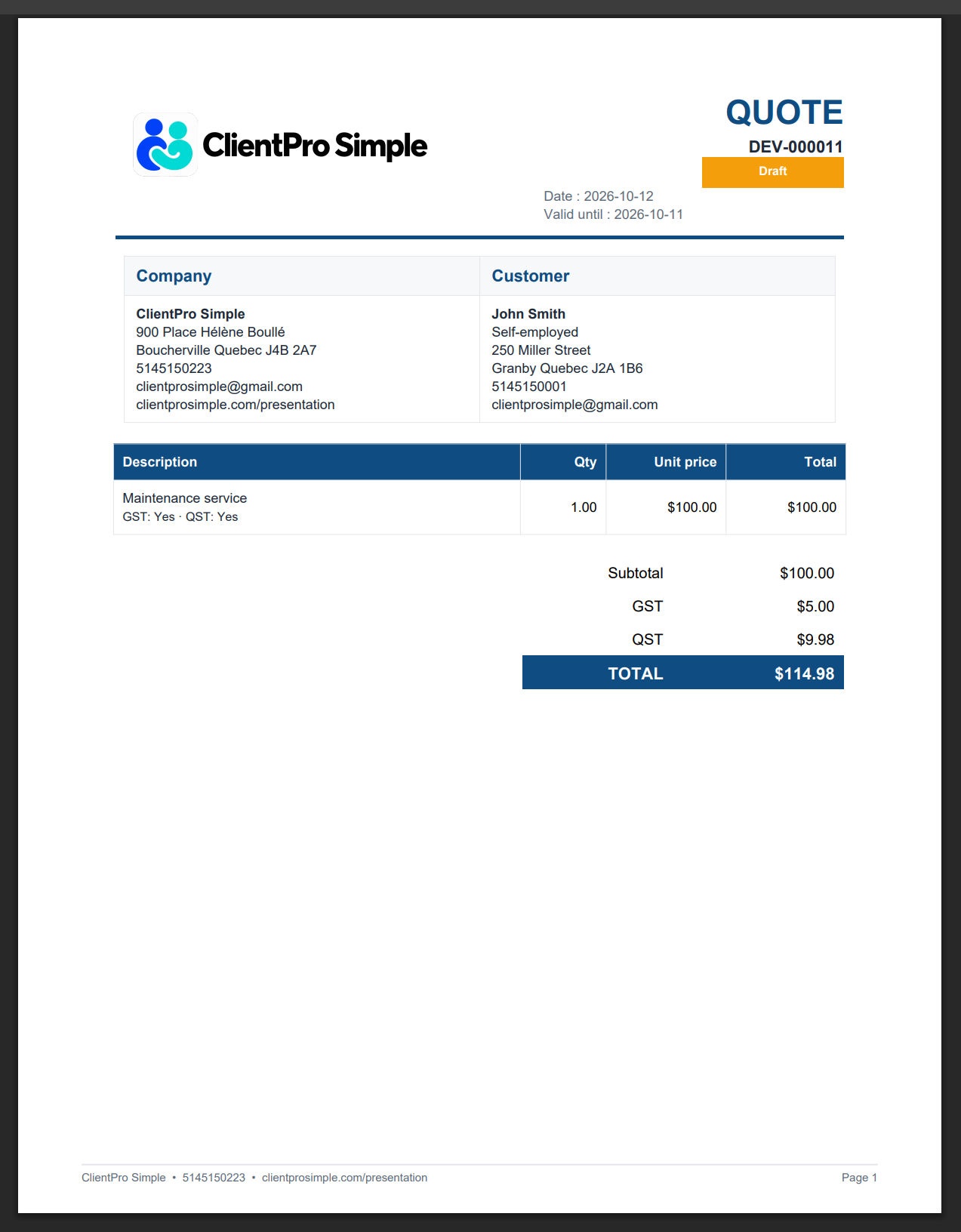
Prepare quotes with your logo and send them using your own email account.
Enlarge screenshot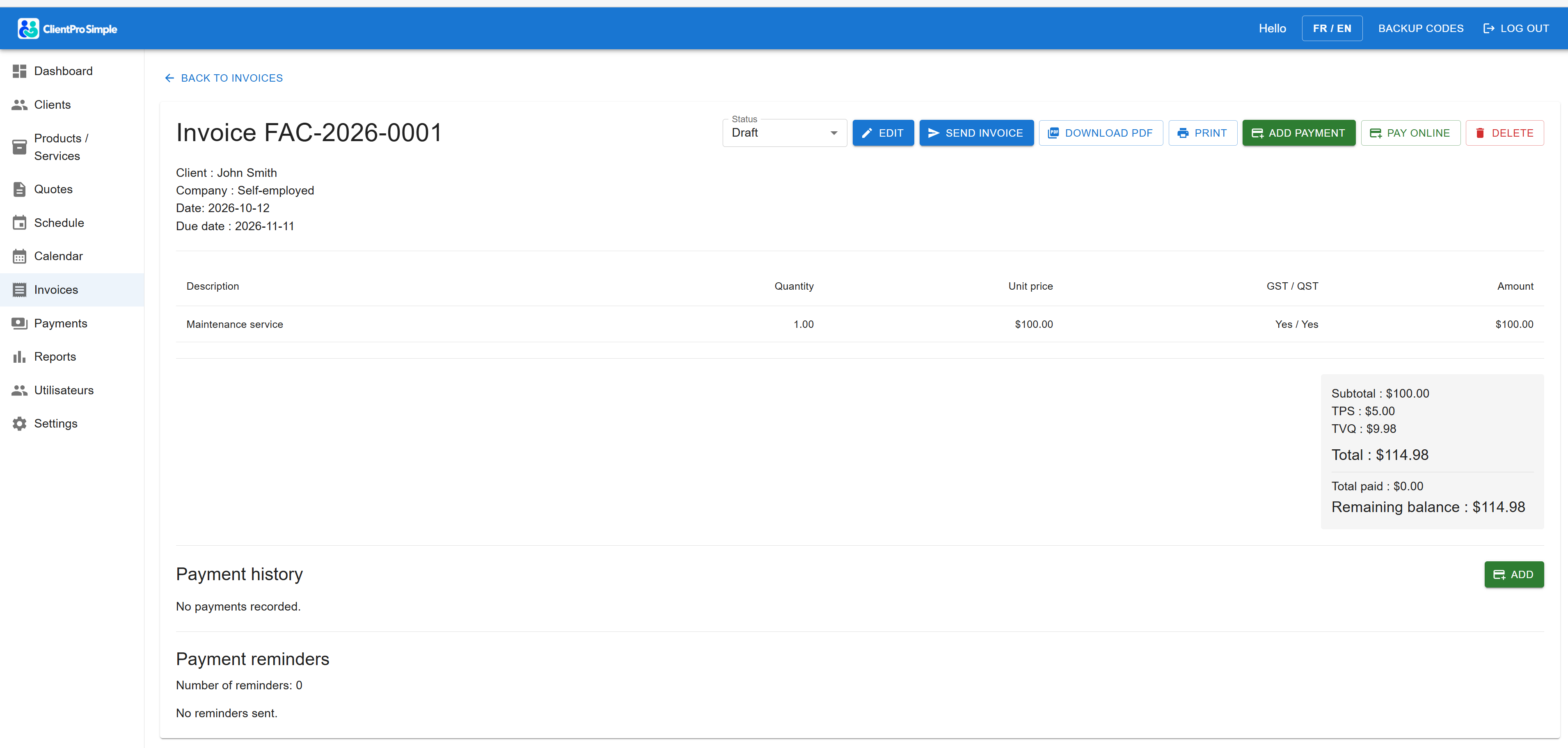
Turn a quote into an invoice and track its total and remaining balance.
Enlarge screenshot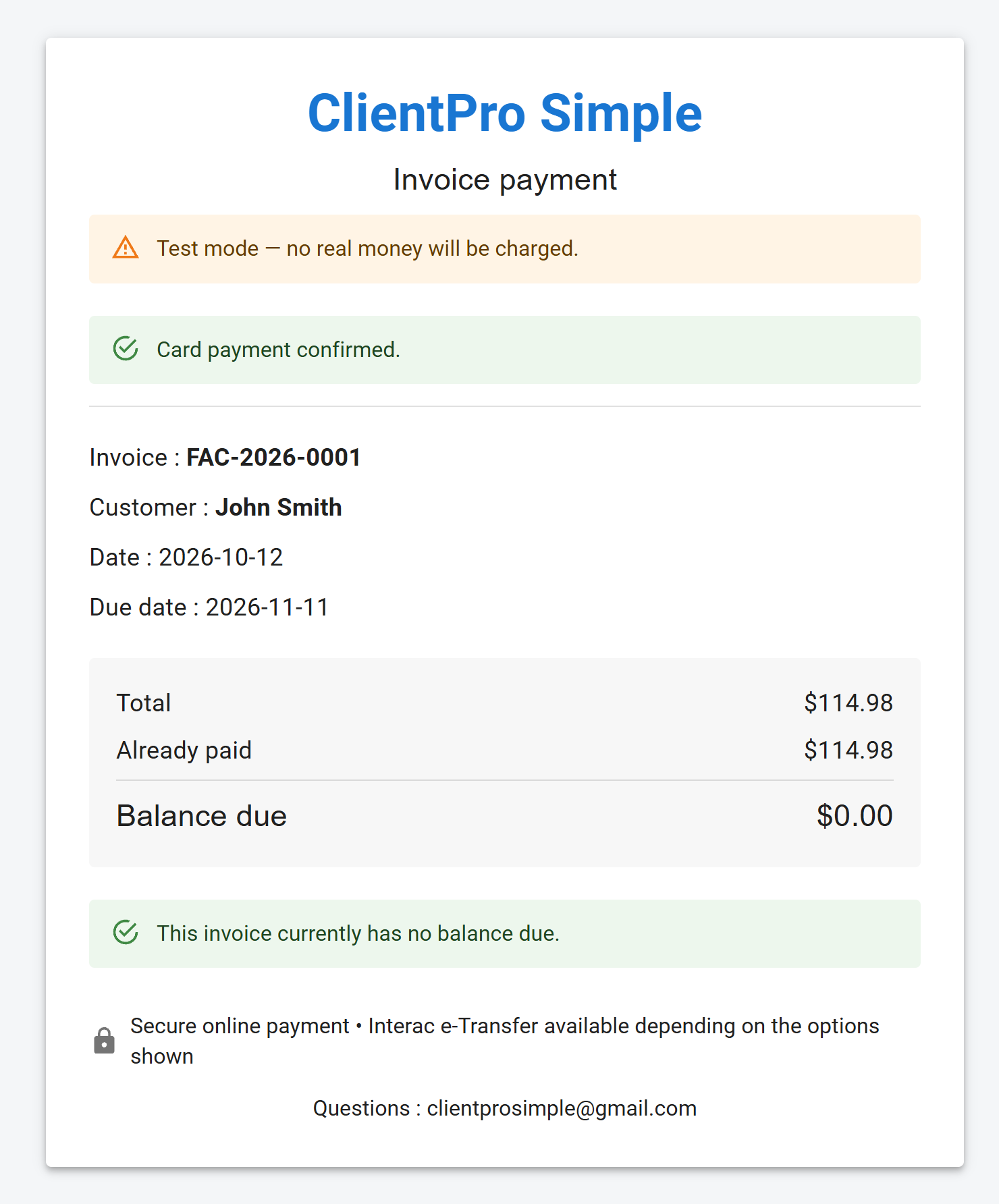
Server edition only: Stripe and PayPal after setup. Example in test mode.
Enlarge screenshot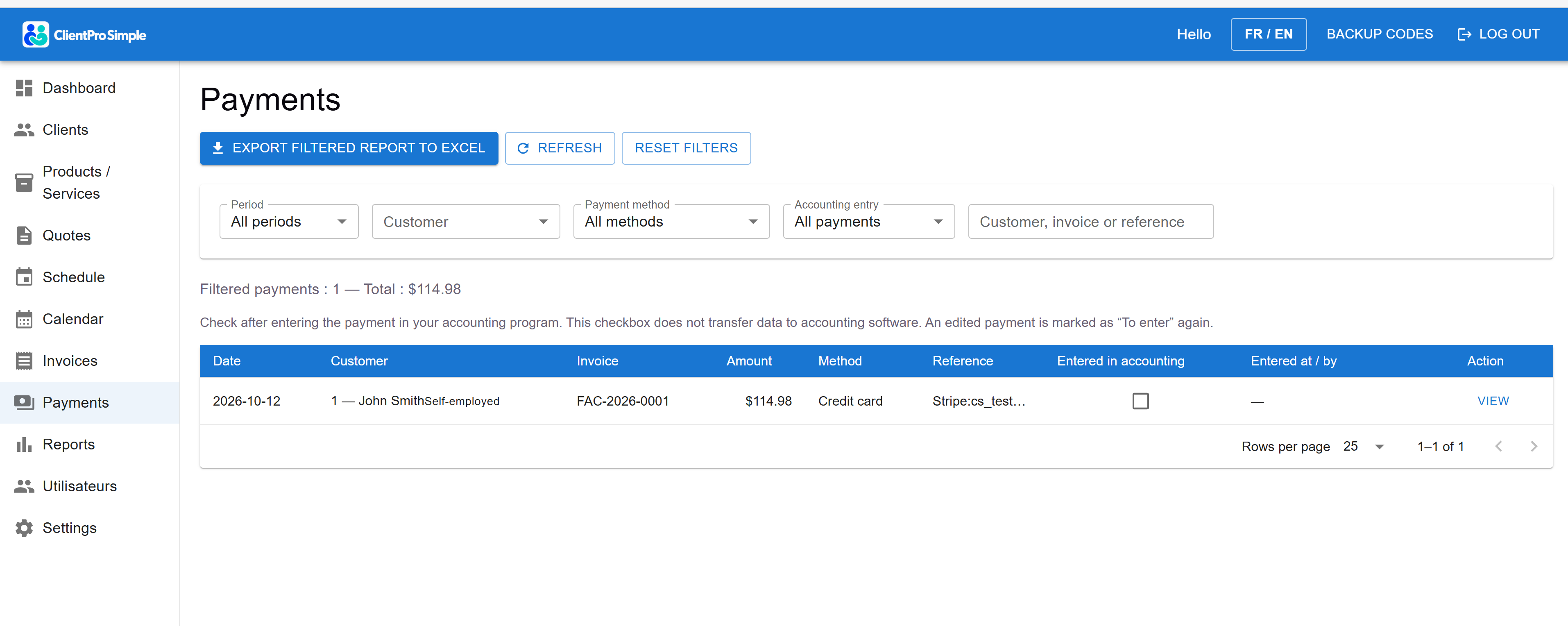
Filter payments and export the information to Excel.
Enlarge screenshot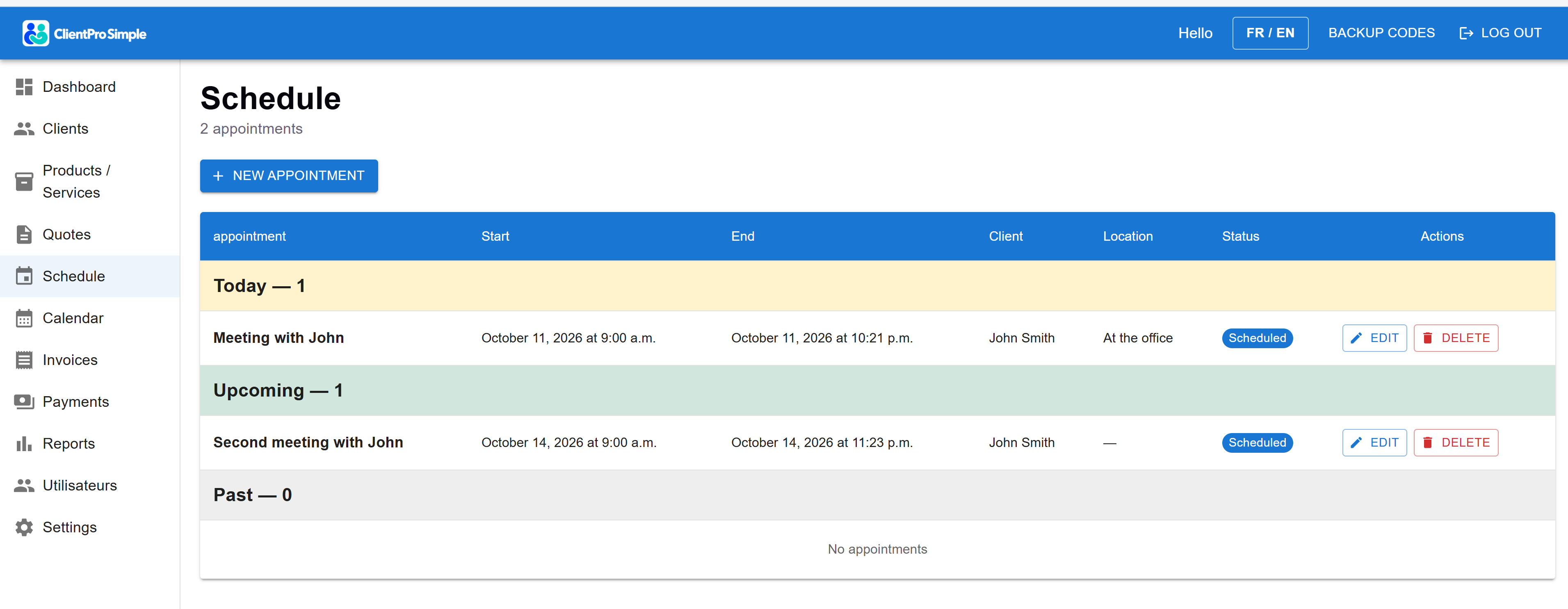
Find today’s and upcoming appointments with their client and status.
Enlarge screenshot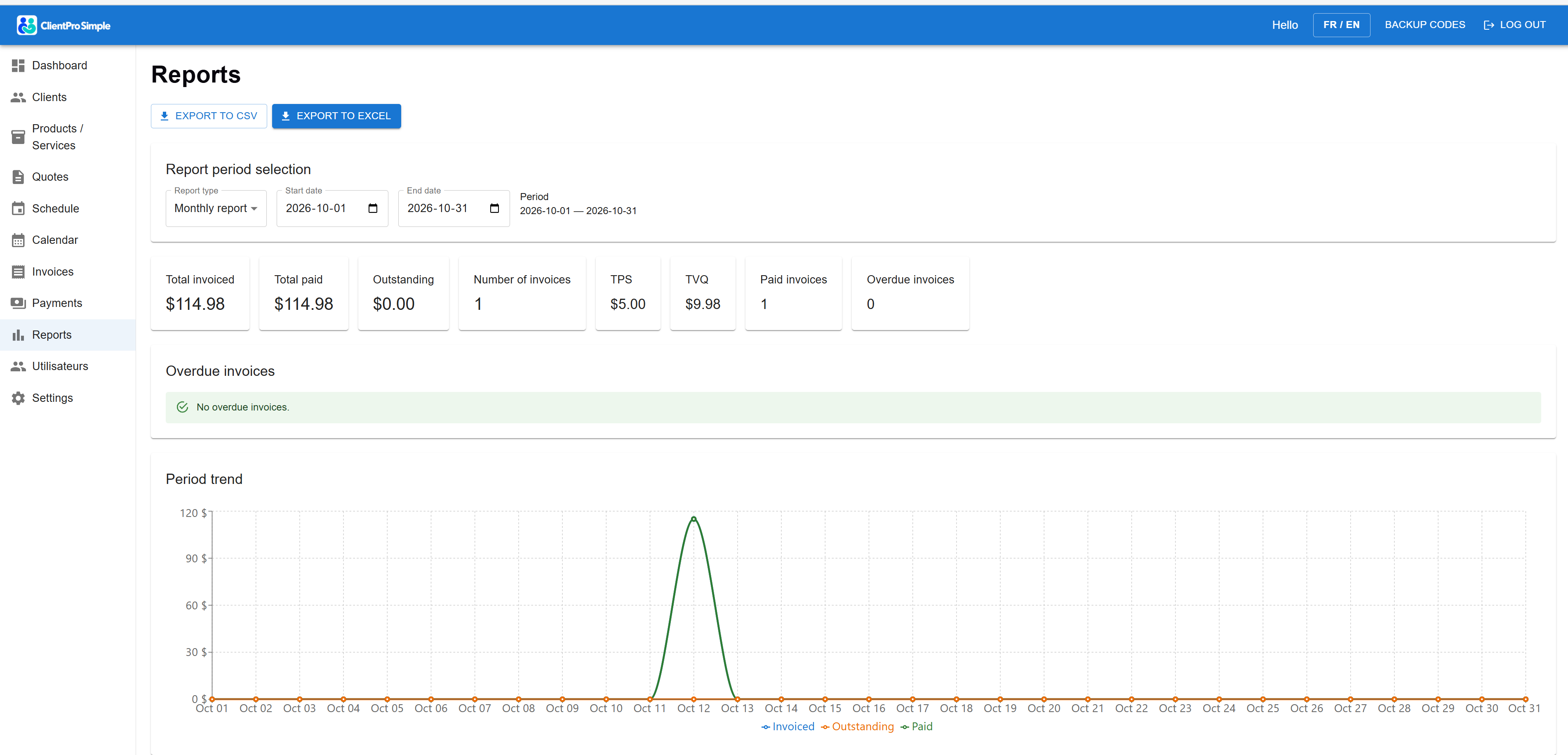
Review invoiced and paid amounts and taxes for the selected period.
Enlarge screenshotUse ClientPro on your computer, on a Windows local network or on an Internet-accessible server.
The application and database are installed on your Windows computer. Work locally with your own installation.
An Internet connection is still required for online features, such as sending email.
The Windows edition can be configured for access from several computers on the same network, sharing one database.
Available on request, subject to checking your network. The computer hosting the application must remain turned on.
Access the application through a browser on your own hosted server. Offer Stripe and PayPal online payments after configuration.
Public features, including quote responses and online payments, require an Internet-accessible address.
Both Windows and server editions include tools to back up your data, check your installation and prepare maintenance operations. You or your IT administrator can use them on your own installation.
Access common maintenance operations through a desktop shortcut.
A bilingual guide accompanies the tools. Relevant operations request Windows administrator authorization. Code updates and previous-code return require identical dependencies and migrations.
Dedicated scripts support the administration of your Linux installation.
You or your IT administrator perform these operations with the necessary server permissions. Keep backups on secure storage.
The delivered package includes source code, installation scripts and technical documentation. The licence allows you to appoint a technician or programmer to maintain your authorized installation, including adapting the application to dependencies or external services. The software remains the property of the software provider. Maintenance tools assist with interventions; the professional must verify and test any adaptations.
ClientPro Simple combines a web management interface with a PostgreSQL database. This information can help your IT administrator prepare the installation.
Purchase a licence and run your own installation. Manage your clients, documents and data independently.
Your purchase is a licence to install and use ClientPro Simple on your computer or your own server, depending on the edition you choose.
The software remains the property of the software provider; the licence does not transfer ownership of the software or its source code.
Your installation runs independently, without relying on the provider’s server to manage your clients, quotes and invoices. Your data is stored in your own installation.
Any external costs, including server hosting and payment provider transaction fees, are separate from the licence price.
Explore the main features in a trial workspace hosted on our server, without installing software on your computer. After purchase, your own installation operates independently of this demonstration server.
Provide your name, business and the email address to use for your invitation.
Once your request is approved, you receive a personal email link. It expires after 24 hours and can only be used once.
Your trial runs for 30 days from account creation. The end date is stated in your invitation.
The button opens your email application. You can also write directly to clientprosimple@gmail.com.
Stripe and PayPal are set up in test mode before your invitation is sent. Fictitious payment details are provided by email.
To test emails, configure your own outgoing SMTP email in settings and use your email address as the recipient in fictitious customer records. Messages are actually sent.
A one-time payment for the licence to use your chosen edition. Assisted packages include the licence and agreed installation through validation; no ongoing support is included.
| Offer | Launch price | Proposed regular price |
|---|---|---|
| Windows licenceChoose this package | 199 $ | 249 $ |
| Server licenceChoose this package | 299 $ | 399 $ |
| Windows with installation and onboardingChoose this package | 349 $ | 399 $ |
| Server with installation and basic configurationChoose this package | 599 $ | 699 $ |
Launch offer from Monday, October 19 to Monday, November 30, 2026.
For trial requests received between October 19 and November 30, 2026 inclusive, the launch price offered in writing remains valid until the end of the 30-day trial, on the date stated in the invitation.
VPS hosting, domain registration and Stripe/PayPal transaction fees are separate. Installation scope and applicable taxes, if any, will be specified in the offer before purchase.
ClientPro Simple runs on your computer or your own server. Your data stays in your installation. Using it does not require our demonstration server or the software provider’s availability.
We help with the agreed installation and configuration until their proper operation has been verified with you.
Source code, maintenance tools and technical documentation are supplied. You can arrange maintenance yourself or with an independent professional.
Feedback from early users will help improve ClientPro Simple. As far as I am able, I will make the corrections needed for it to work properly. When a corrective update becomes available, affected customers will be notified and receive instructions on how to obtain and install it. The end of the pricing promotion does not set an end date for these efforts; no maintenance duration, permanent availability or correction deadline is promised, subject to applicable commitments and warranties.
After validation, you may contact the provider with an assistance request. Depending on availability and the nature of the request, an intervention may be offered, with its terms and cost specified in advance.
No ongoing support service or long-term provider availability is included. You remain free to engage a professional of your choice.
Independence applies to your installation and data. External services you use — email, hosting and payments — remain necessary and under your management. Assistance terms do not replace applicable warranties.
You create your own PayPal Business and Stripe accounts. Assisted installation connects them to ClientPro using your operational accounts and the credentials you provide.
If account approval is pending, validation using test payments may be agreed upon. Remaining steps and terms for a later intervention are recorded with you.
Navigation help may be offered subject to availability and agreed terms. Account creation and approval are not included in basic configuration; approval is handled by Stripe and PayPal. Their service fees remain your responsibility.
Self-employed professionals, tradespeople and small service businesses that prepare quotes, send invoices and want to keep client information in one place.
Yes. The interface is available in French and English.
No. Email is sent using authenticated SMTP compatible with your email provider. An app password may be required, depending on the provider.
Stripe and PayPal online payments are offered in the server edition. They are hidden in the Windows edition.
Your purchase is a licence to install and use the software, without transferring ownership of the software or its source code. The purchase offer specifies the price and licence terms, along with installation, support and update services.
Discover ClientPro Simple in a free 30-day trial workspace, then choose the installation that suits your business.
Provide your name, business and email. You choose your own password using the invitation link.
Let’s discuss your requirements and choose the edition and package that suit your business.
Réjean Pineault
ClientPro Simple software provider
To purchase ClientPro Simple or ask a question, specify your preferred edition and whether you would like assisted installation. You will receive confirmation of the package, price, applicable taxes and next steps before making a commitment.
Orders and payment arrangements are agreed by email. Clicking a button does not place an order or make a payment.
Free demonstration by appointment over Google Meet
Approximately 20–30 minutes, with no obligation to purchase: an introduction to the main features and answers to your questions.
Include your availability and time zone. An appointment will be confirmed by email, subject to my availability.
The demonstration does not include installation, configuration or personalized training. These services are covered by the purchased package or a separate agreement.
The buttons open your email application with a message you can complete. If it does not open, copy the address above and contact me using your usual email service.